

Overview
Tools enable your agent to go beyond simple conversation by performing actions such as searching the web, accessing databases, sending emails, or interacting with other systems. When properly configured, tools transform your agent from a conversational interface into a powerful digital assistant that can take meaningful actions on behalf of users.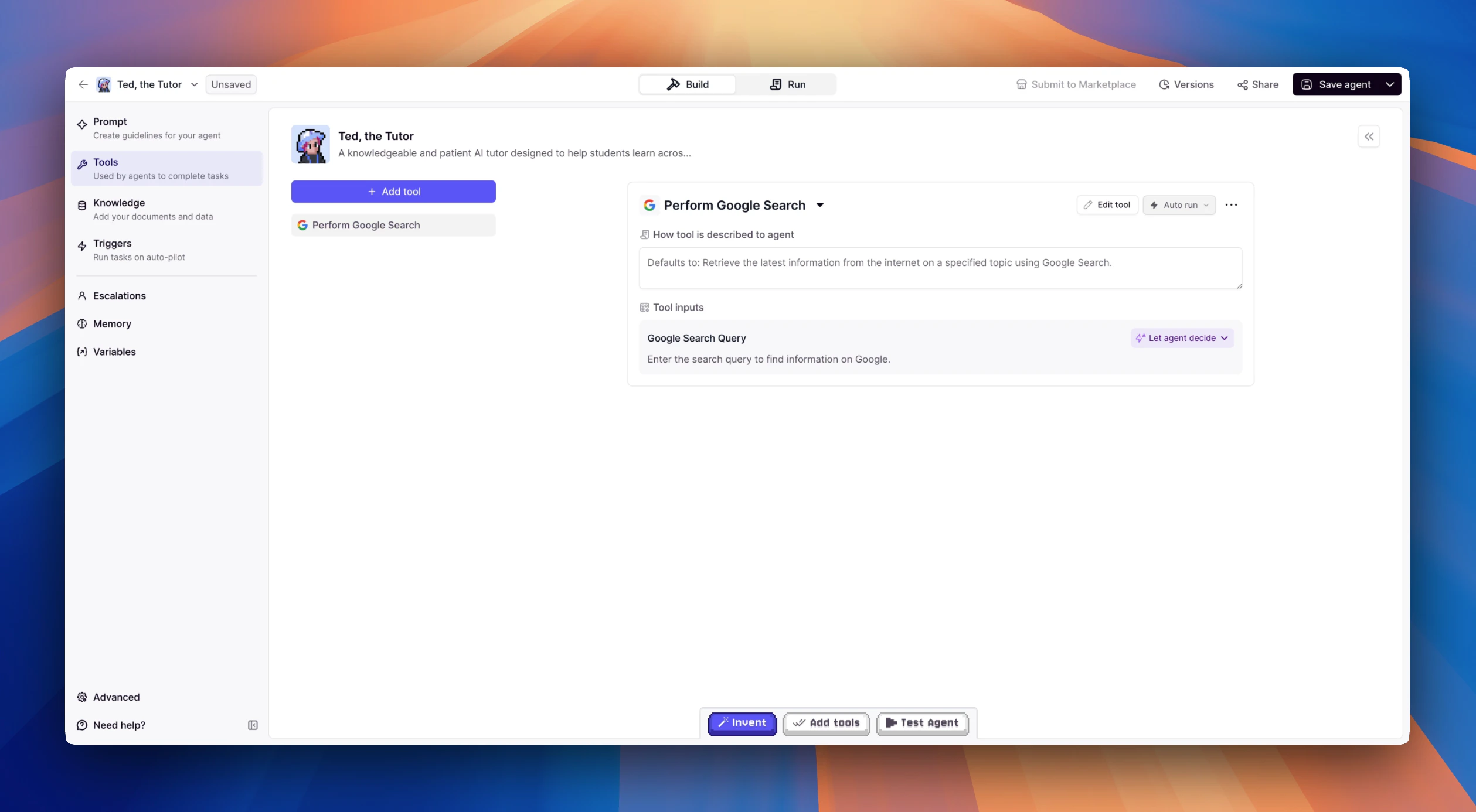
Adding Tools to Your Agent
In the Agent Builder interface, navigate to the Tools section to begin enhancing your agent’s capabilities:- Select from pre-built tool templates that cover common use cases
- Add custom tools you’ve created under the
Add new tooloption - Configure each tool’s usage settings based on your requirements
Tool Input Configuration Options
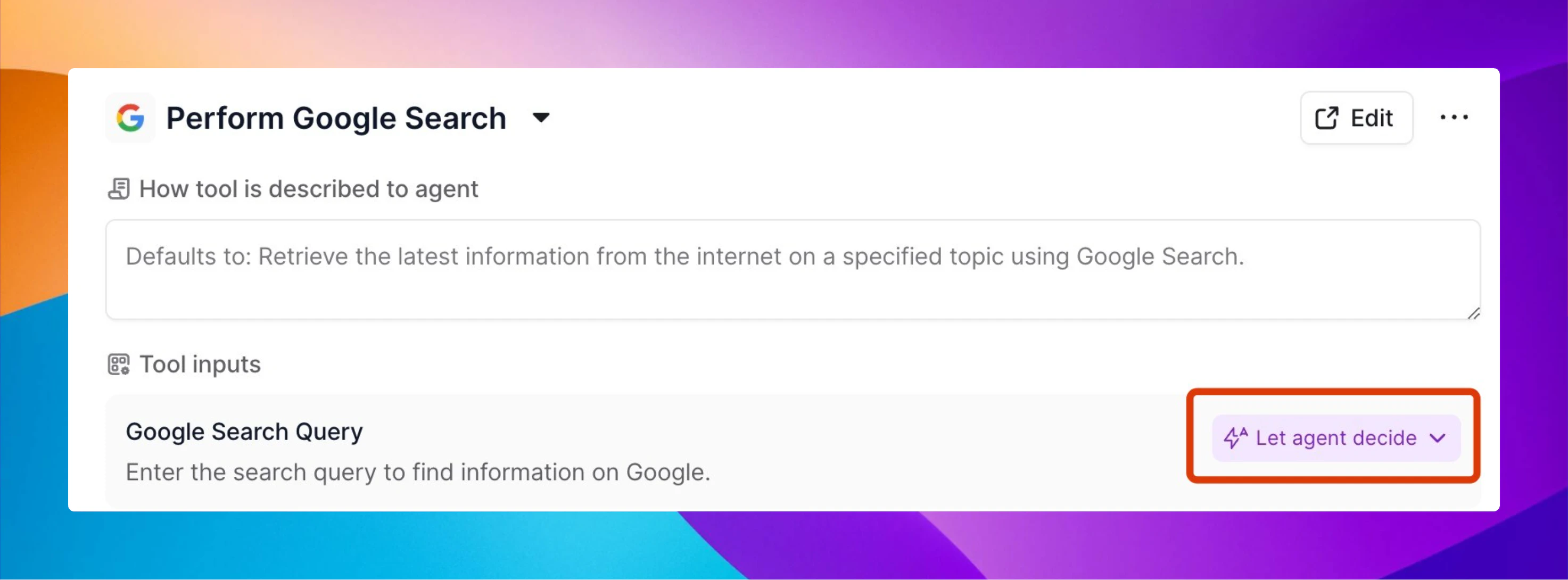
Let agent decide
This balanced approach gives your agent the flexibility to determine how the Input is entered based on context. The Agent will use its judgement about what Inputs to give your Tools. Best for: A mix of tool types where you want to get things up and running quickly.Set manually
This option allows you to explicitly specify the Inputs for each Tool or action. You have full control over which settings are used for your tools. Best for: Scenarios where strict oversight or compliance is needed, and you want to minimize any ambiguity in approval processes.Tool output
This option allows you to select the outputs from a previous Tool run by the Agent.Guiding Your Agent’s Tool Usage
For optimal results, provide your agent with clear guidance about how and when to use its tools: Core Instructions: Include specific directions about tool usage in your agent’s core instructions. For example:- When to prioritize certain tools over others
- How to interpret and present tool results
- What circumstances warrant tool use versus simple conversation
Best Practices for Tool Implementation
- Start Simple: Begin with a few essential tools before adding more complex capabilities
- Test Thoroughly: Verify that each tool works as expected in various scenarios
- Monitor Usage: Review how your agent is using tools in real conversations to identify opportunities for improvement
- Refine Gradually: Adjust tool configurations and instructions based on actual usage patterns
- Combine Tools Strategically: Create powerful workflows by combining multiple tools in sequence
Common Tool Categories
While the specific tools available depend on your implementation, common categories include:- Information Retrieval: Search engines, knowledge bases, document repositories
- Communication: Email, messaging, notifications
- Data Processing: Analysis, transformation, summarization
- Integration: Connecting with external systems and APIs
- Content Creation: Generating text, images, or other media
Tool Approvals
Control whether your agent needs permission before running a tool. You can set the approval mode individually for each tool.Auto Run
The tool runs automatically whenever the agent determines it should be used. The agent incorporates tool functionality without interrupting the conversation flow. Best for: Tools that are low-risk, frequently used, or where immediate action is beneficial.Approval Required
The agent will ask for explicit permission before using the tool. When the agent determines a tool would be helpful, it will first explain what it wants to do and why, then wait for user confirmation before proceeding. Best for: Tools that perform sensitive actions, have potential costs associated with them, or where user oversight is important.Let Agent Decide
This balanced approach gives your agent the flexibility to determine when approval is necessary based on context. The agent will use its judgment about when to ask for permission versus when to proceed automatically. Best for: A mix of tool types where you want to balance convenience with appropriate caution.Skills vs. Tools
Tools and Skills both extend what your agent can do, but they serve different purposes. Tools are actions — discrete integrations that let your agent interact with external systems. Sending an email, querying a database, and searching the web are all tool operations. Skills are behavioral patterns and knowledge sets stored as files. They shape how the agent thinks, communicates, and approaches problems — without performing any external actions themselves.| Tools | Skills | |
|---|---|---|
| Purpose | Do things in the world | Shape how the agent thinks and responds |
| Examples | Send email, search web, query database | Communication style, domain expertise, methodology |
| Configured in | Tools section of Agent Builder | Files section (/skills/ directories) |
| Activated by | Adding to the agent’s tool list | File read commands in the agent prompt |